
The next report will be on Tuesday, March 4th.
The weight of the evidence remains bullish for stocks, but this is not a bull market that lifts all boats. I am also seeing splits within sectors and industry groups. This is a selective bull market. Large-caps are holding up better in February and small-caps are lagging. The tech sector and Nasdaq 100 are also holding up relatively well, even with the swoon over the last five days.
There are six new setups today and six from the prior two weeks. I leave the prior setups on the chart list as long as price is still in the setup zone. With the market swoon over the last two weeks. Several setups remain active because price is in the setup zone and the re-evaluation level was not broken. You can see the date of the set in the comments section under the chart.
Current Setups for February 27th
- CTVA Forms Pennant after Tagging New High
- LNG Bounces off Support and Breaks Out of Wedge
OKE Firms in Bullish Setup Zone - AME Breaks Triangle Line as Price-relative Turns Up
- RTX Breaks Pennant Line and Shows Relative Strength
- TSM Forms Bullish Triangle above Rising 200-day SMA
Prior Setups with Price in Setup Zone
- DIS Turns Back Up after Post-Breakout Throwback
- BNTX Holds Breakout Zone and Leads
- FAST Sets up with Second Test of Bullish Setup Zone
- EQIX Forms Falling Channel and Firms at Bullish Setup Zone
- GEN Firms Above Rising 200-day SMA
- QLYS Corrects after Big Breakout Surge
If viewing the PDF in a browser, right click on charts to open in a new tab or window.
Use CRTL and the Plus or Minus keys (+ -) to zoom. 125% works best for me.
Send feedback to support(at)trendinvestorpro.com or use the contact form.
Working with PDF Files
Why the shift to PDF? Working with ChartLists at StockCharts and PDF files is an effective and efficient manner to track and analyze a chart group (ETFs, stocks, Market Regime). It saves an enormous amount of “posting” time, which is the time required to copy/paste the text and charts for each section. With a ChartList, I simply print the charts and analysis to one PDF. This also serves as a good archive.
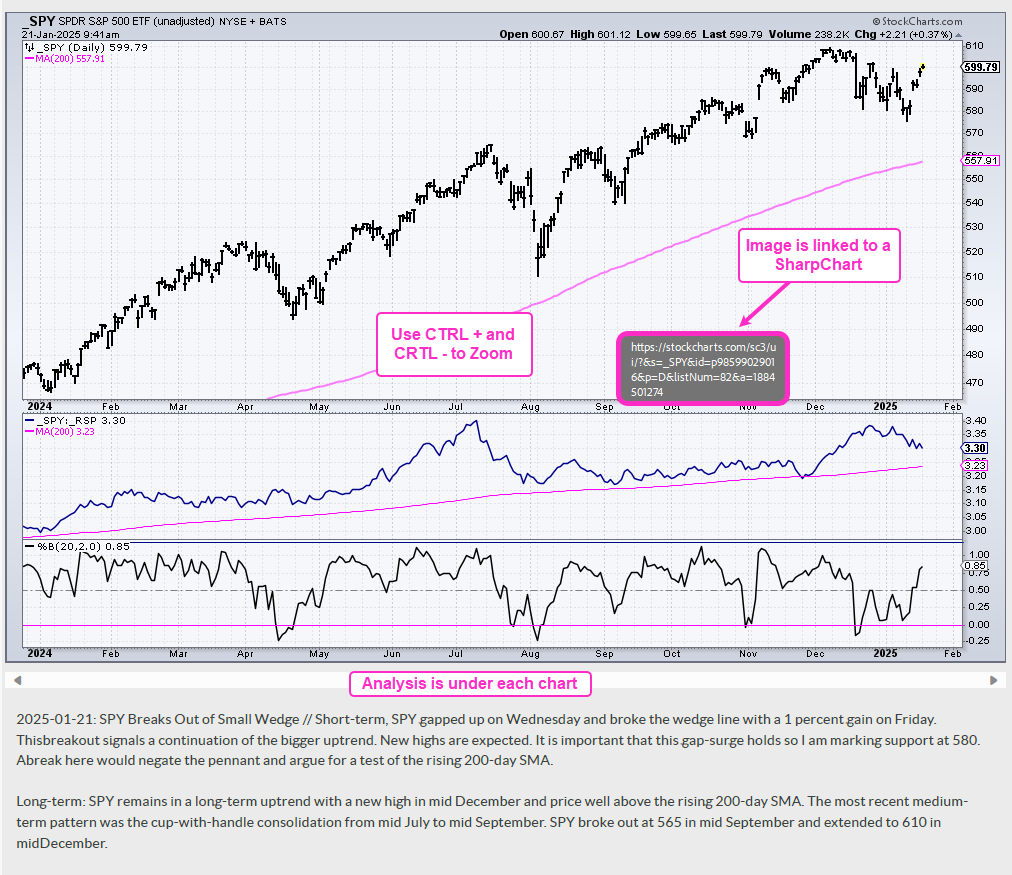
The charts in the PDF files are linked to a corresponding SharpChart at StockCharts. There are two ways to open the PDF file: through your browser or through an application like Adobe Acrobat. When viewing the PDF through your browser, the best way to open a chart is to right click on the image and choose open in new tab/window. When viewing the PDF through Acrobat, you can open a chart in your default browser by simply clicking on the image.
The example below is a screen shot from the PDF.
Send feedback to support(at)trendinvestorpro.com or use the contact form.