
The next report will be on Wednesday, February 26th.
High-beta names led the market lower over the last three sessions. The ARK Innovation ETF (ARKK) and Digital Transformation ETF (DAPP) fell over 10%, while the Cybersecurity ETF (CIBR), Software ETF (IGV), Cloud ETF (CLOU) and Robotics AI ETF (ARTY) fell over 5%.
Risk-off names picked up the slack and showed strength with the 20+ Yr Treasury Bond ETF (TLT) rising 1.88%, the Consumer Staples SPDR (XLP) up 1.08% and the Healthcare SPDR (XLV) up .83% the last three days.
We have yet to see a bear market signal, but there was clearly a narrative shift. This could be a growth scare because the 10-yr Treasury Yield declined and broke support as the 7-10 Yr Treasury Bond ETF (IEF) surged and challenged resistance. Long-term yields are tied to growth prospects and inflation so this decline may not be welcome news for stocks.
There are some ETFs with short-term oversold conditions, but we are seeing an increase in volatility. Higher volatility means short-term patterns/setups are less effective and breakouts are more prone to failure.
My main concern is with the failed wedge breakouts in lower highs in several ETFs (IGV, SKYY, KRE, KBE, PAVE). In addition, I am seeing relative weakness in equal-weights, mid-caps, small-caps, industrials, banks and consumer discretionary, not to mention the 52-week lows in housing (ITB, XHB). SPY and QQQ are still near their highs, but this is a selective bull market.
- SPY and QQQ Fall Back after Hitting New Highs
- RSP and MDY Form Lower Highs and Underperform
- IJR Breaks Lower Bollinger Band to Signal Downtrend
- XLK Maintains Upward Bias with Choppy Advance
- XLF Stalls Near Highs and Maintains Relative Strength
- XLI Tests Wedge Breakout Zone and Shows Relative Weakness
- XLC Pulls Back from New High and Maintains Relative Strength
- MAGS Extends Pullback within Long-term Uptrend
- AIQ and ARTY Hit New Highs and Fall with Sharp Pullbacks
- BOTZ Holds September Breakout and Maintains Choppy Uptrend
- CLOU, SKYY, IGV and BLOK Fail to Hold Wedge Breakouts
- KRE, KBE and PAVE Fail to Hold Wedge Breakouts as Lower Highs Form
- KIE Holds Wedge Breakout and Shows Relative Strength
- ITA Hits Breakout Zone and becomes Short-term Oversold
- IHI Breaks Pennant Line and Maintains Relative Strength
- AMLP Consolidates Near and Maintains Relative Strength
- GLD Notches Another New High
- IBIT Tests Consolidation Support as Bitcoin Corrects
If viewing the PDF in a browser, right click on charts to open in a new tab or window.
Use CRTL and the Plus or Minus keys (+ -) to zoom. 125% works best for me.
Send feedback to support(at)trendinvestorpro.com or use the contact form.
Working with PDF Files
PDF reports based on ChartLists from StockCharts.com offer several advantages. First, each chart is linked to a live SharpChart, allowing readers to see open it, see the most recent price data and view the chart settings. Second, publishing reports as PDF files is much more efficient because it eliminates the need to copy/paste each chart and its corresponding analysis to a webpage. This allows more time for updates and analysis. Third, these comprehensive PDF reports allow users to see my ETF ChartList, Market Regime ChartList and Stock Setup ChartList.
There are three ways to open a PDF file. First, just click on the file link and it should automatically open in your browser. Most browsers can read PDF files without a plugin. Second, you can install the Adobe Acrobat plugin for your browser (Chrome, Firefox, Edge, Safari). I am running a Windows PC and the Acrobat plugin works great using Edge. This my preferred option. Third, you can download the PDF file to your computer and open it in Adobe Acrobat or your default app for PDF files.
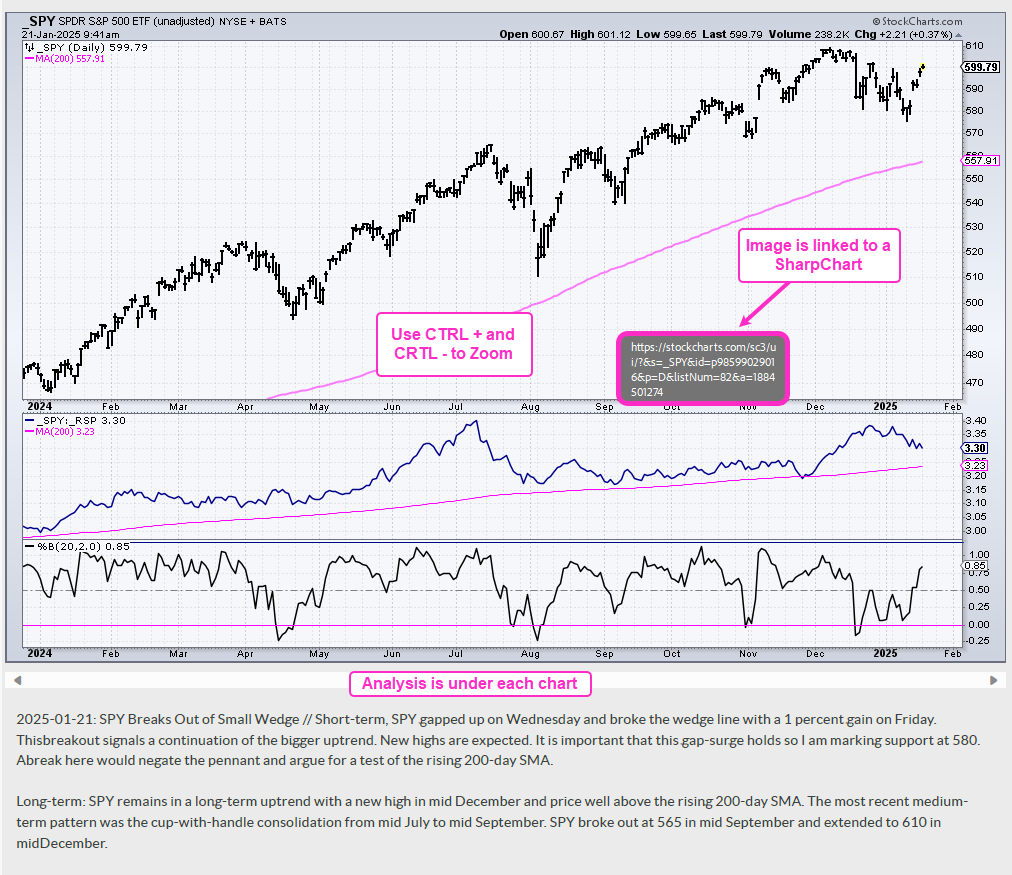
The charts in this PDF report are linked to a SharpChart. If viewing through a browser or the Acrobat plugin, right click on the image to open the SharpChart in a new tab or window. If viewing in Adobe Acrobat outside of your browser, click on image to open the SharpChart in browser.
Users can easily control the zoom using CRTL + and CRLT – (plus/minus keys). Press and hold the CRTL key and then press the + key to zoom in (increase the magnification). Press and hold the CRTL key and press the – key to zoom out. 125% zoom works best for me. See comments section below for links.
The example below is a screen shot from the PDF.
Send feedback to support(at)trendinvestorpro.com or use the contact form.